Saturday, January 01, 2011

Blaine's Custom Transitions Pack 1 Released (Windows Movie Maker 6.0 only)

Blaine's Transition Pack 1As a gift to you, I'm releasing a pack of new transitions for Windows Movie Maker 6.0*. These transitions require the use of Rehan's ShaderTFX add-on. If you've never installed this before, follow the directions and test they work first. If you've already installed a copy of ShaderTFX (registered or unregistered), you can skip these steps.

For a preview of what is included in the transition pack, check out this Transition Pack 1 - Sample Video

For the new transitions pack, there are two installers depending on whether you are running WMM 6.0 on a 64-bit or 32-bit version of Windows. The installer will put the necessary files into, C:\Program Files\Movie Maker\Shared.
Prerequisite: Rehan's ShaderTFX add-on.

Windows Movie Maker 6.0:
Blaine's Transition Pack 1 (64-bit) Installer
Blaine's Transition Pack 1 (32-bit) Installer

After restarting Windows Movie Maker, you should have 13 new transitions with corresponding icons:
  • Circle Stretch - The second clip appears in a circle and stretches out to replace the first clip.

  • Push Slide - These transitions push the existing clip out of the way. They can go in any of the 8 compass directions.

  • Wiggle In/Out - Either or both of the clips will transition in a wavy, wiggly pattern.

  • Zoom Blur - The first clip zooms toward the viewer and blurs to reveal the second clip.


  • *Note: These transitions require the architecture of WMM 6.0 and can't be made to work on versions 2.6 or earlier.

    Sunday, December 12, 2010

    Compositing and Translucency Transitions for Windows Movie Maker (Re-released)

    Blaine's Custom BlendsI'm rereleasing my Compositing and Translucency transitions. These new installers will work for either 32-bit or 64-bit versions of WMM 6.0 (Vista) as well as WMM 2.x under XP. The Vista versions require you to download Rehan's ShaderTFX add-on; XP does not. Please follow the instructions for your specific version of Movie Maker.

    Click here, for a sample video of Compositing and Translucency Transitions.
    Windows Movie Maker 6.0 (64-bit):
    You must first install the latest Direct X Runtimes and then Rehan's ShaderTFX (64-bit). You don't need a registered copy, just the trial will work. Verify that those new transitions are working as expected.
    Next, run the Blaine Blends (64-bit) Installer

    Windows Movie Maker 6.0 (32-bit):
    The instructions are similar to the 64-bit version. You must first install the latest Direct X Runtimes and then Rehan's ShaderTFX (32-bit). Verify that those new transitions are working as expected.
    Next, run the Blaine Blends (32-bit) Installer

    Windows Movie Maker 2.x (XP):
    If you have Windows Movie Maker 2.x, ShaderTFX is not needed. Just run the Blaine Blends (32-bit) Installer

    After restarting Windows Movie Maker, you should have 12 new transitions with corresponding icons:
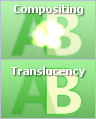
  • Compositing (A add B) - for best results, one clip should be on a black background. Things like explosions, flames, snow fall, raindrops, etc. work best.

  • Show A, Show B - these just show clip A or clip B respectively. These are useful when you want to cut away to another clip without affecting the overall timing of your main clip.

  • Translucency 10% through 90% - these blend the two clips so you can see both at the same time.
  • Friday, November 06, 2009

    Windows Live Movie Maker – What changed in the new version, and why...

    Windows Live Movie MakerOn the Windows Live Team Blog, Cheryl White (a Program Manager for Windows Live Movie Maker), has detailed some of the new features in WLMM along with the rationale for changing the way things are done compared to Windows Movie Maker.

    Take a look at Windows Live Movie Maker – What changed in the new version, and why.

    Saturday, March 07, 2009

    Anticipation Builds for Windows Live Movie Maker

    Windows Live Movie MakerThe underlying tenet of the Windows Movie Maker team has always been to make an extremely easy-to-use program for editing movies. Movie Maker has been a place where you can quickly bring in your camcorder footage, trim and reorder clips, overlay some music, add some titles (along with captions and credits) then save the results out as a movie file.

    From there it has often been hard to get that to the point where it can be shared (a 10MB limitation on e-mailing, a separate step for uploading to a video site like YouTube, extra software for burning the movie onto a DVD). And there's always been an issue with getting certain file types to import and edit correctly. The only types that have consistently worked are the native import types of DV-AVI (mini-DV camcorder) and WMV. When file types didn't work, it required a user to convert them, suffer editing weirdness like green screens, saving that would hang, outright crashes and the like.

    Vista Movie Maker made some strides in the areas of real time preview, ability to capture HD video into DVR-MS files for editing, usage of the GPU for high-quality transitions/effects and the ability to create a DVD using DVD Maker. But even now there are issues that arise with file types, occasional crashes, publishing problems, etc.

    In response, Microsoft is in the process of creating a new Windows Live Movie Maker (WLMM) as part of Windows Live Essentials. The program is currently in a "beta" release, but other reviewers, along with myself would really call this more of a placeholder. It's almost like they have gone back to version 1.0 with no titles, a single fade transition, a couple black/white effects, etc. And the most startling missing feature seems to be the lack of a timeline.

    So, is this what we should expect? Will there be a timeline in the final version? How will "power" users get control over their project if it all seems to be a storyboard? And will we have the ability to build custom transitions and effects like we could in prior releases to extend the capabilities? Will it handle HD video better? Will it be easy to publish and share my video? Will it handle new file types?

    Well, I can't disclose all of what I learned recently in a visit to the Microsoft Campus in Redmond, but I can say I am excited. My concerns about a missing timeline are partially allayed. And I can see that they haven't abandoned customization. In fact, Eric Doerr has hinted that the new rendering engine in WLMM will take advantage of the GPU in ways it hasn't so far. Trust me, I think Windows Live Movie Maker will have the simplicity that we all appreciate for quickly creating movies, but with the fancy features we all love to show off. While it isn't there in the current public beta, stay tuned.

    Thursday, October 09, 2008

    Aspect Ratios, HD and Windows Movie Maker

    Canon HV20I'm having a lot of fun with HD video. I'm hoping that others are seeing that HD video will be the standard for home video, but with that comes challenges. The hardest part is dealing with the tools we have for editing video; it's not a seamless environment yet. I can't take stuff I've captured in Sony Vegas and easily use it in Windows Movie Maker. Similarly, if I want to capture something in WMM, it doesn't come in seamlessly into Sony Vegas.

    For example, recently our family took a camping trip to Mammoth Lakes. I had set up our camera and filmed 40+ minutes of us setting up the tent. Obviously, I didn't want to have people watch a full 40 minutes, I wanted to speed it up but with variable speeds, slower at the beginning, faster in the middle, slower at the end.

    Windows Movie Maker only has the ability to increase the speed by powers of 2 (double, quadruple, etc.) by applying the Speed Up, Double effect up to 6 times. Even with my custom effects for speed (that allow other speed rates), I couldn't get the effect I wanted. So I switched to Sony Vegas Pro 8. For some reason it didn't like the dvr.ms format that I captured in WMM. So I had to recapture it in Vegas. That was okay, but then I found that Sony Vegas doesn't let you speed up more than 4 times. Since I wanted to get our 40 minutes down to about 1 minute, it meant I would need multiple passes.

    My plan was to do the first pass in Sony Vegas with variable speeds, then do an overall speed up using Movie Maker. Things were going fine... I did the first pass and saved the clip in a high-bitrate WMV format. Then I brought it into WMM and applied the speed effect to get it down to a minute. I published the movie.

    What I discovered was that WMM took only the top, left corner of the video. So rather than thinking I had 1920x1080 video, it saw it as 720x480 and only took those pixels in the upper right. I'm thinking it must be related to the format that Sony exports in that it must not be *true* WMV format, or is otherwise causing WMM to get confused.

    In the end, I had to do all the work in Sony Vegas with about 3 (or was it 4) passes there. The result is great, but it took a lot more time than I thought it should. I hope we get to the point where things will be seamless and all formats will be recognized. Will we get there? Who knows?