Tuesday, June 27, 2006

Jahshaka Revisited (2.0 RC3)

World Cup IntroAbout a year ago I played around with an open-source real-time animation and effects program called 'Jahshaka'. At the time it was at version 1.9 alpha. They are now at 2.0 RC3. To test it out I created a sample animation that might work for the World Cup... tell me what you think of this World Cup Intro Clip.

Some details:

  • Soccer ball is an imported 3-D object

  • Sample clip shows how layers can be 'keyframed' to change location, rotation, scale, transparency, etc.


  • This clip probably took about 2 hours to put together. I had to render it in Jahshaka as a series of images. Then I used VirtualDub to put those together as an AVI. Finally, I used Windows Movie Maker to add the sound effects and music. What do you think?

    Sunday, June 25, 2006

    Soccer Ball Titles for Windows Movie Maker

    Download Soccer Ball TitlesWith the World Cup frenzy and a request on the Movie Maker Forums, I created the following set of Movie Maker Soccer (a.k.a. Football) Titles. Most of the XML came directly from HitTheBongo's set of baseball titles. I didn't change much other than the names and the images.

    Click on the soccer ball above which will download the custom soccer ball titles. Run the self-extracting executable (soccerball) and it will install the custom XML code and the image files you'll need.
    To use the new titles, go to 'Tools' > 'Titles and Credits' > 'Title on the selected clip' > 'change the title animation'. Under your list of one line titles should be 4 new ones called:
  • Soccer Ball (spins out, video shrinks)

  • Soccer Ball (spins out)

  • Soccer Ball (zoom, no spin)

  • Soccer Ball (slide to side)

  • I've got some ideas for additions, but I wanted to get these out to those that were requesting them. The bulk of the credit should obviously go to HitTheBongo.

    Monday, June 05, 2006

    Windows Movie Maker - Effects Icons

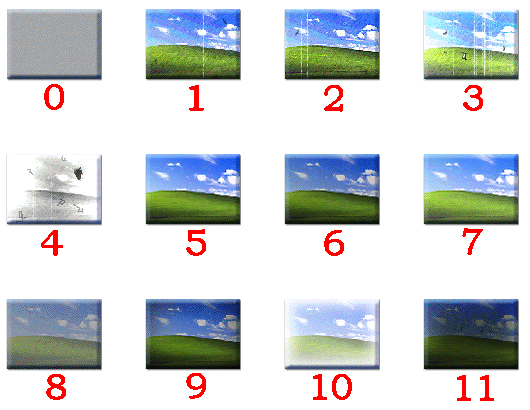
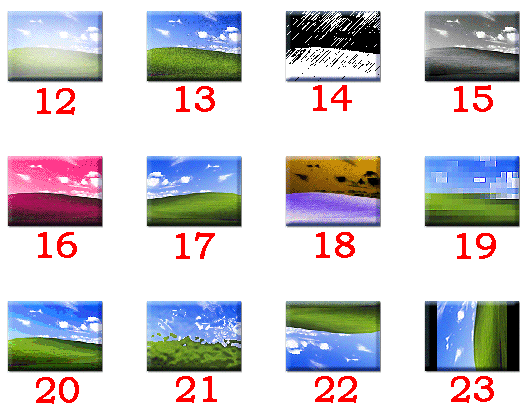
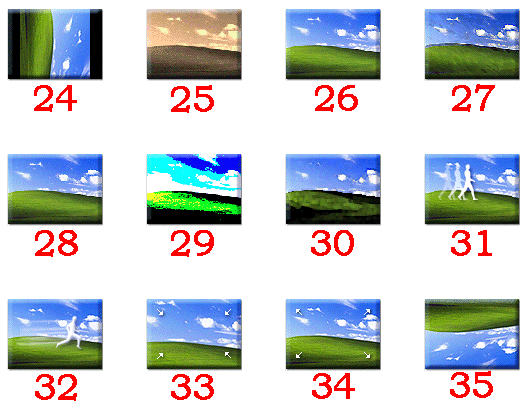
    If you are creating custom effects in Windows Movie Maker, you need to specify an icon number. Rather than guessing, you can use the following images to figure out which of the standard 36 icons (0 through 35) you want to use. Click on a thumbnail to see the full image.
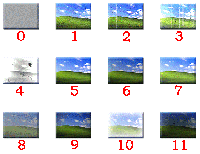
    Effects Icons 00-11Effects Icons 0-11
    Effects Icons 12-23Effects Icons 12-23
    Effects Icons 24-35Effects Icons 24-35