Thursday, November 15, 2007

Negative and Bloom Effects for Windows Movie Maker 6.0

Blaine's Bloom/Negative EffectsHere's a couple new effects for the Vista version of Movie Maker. The first two effects are called 'Bloom In' and 'Bloom Out'. They create a bright glare to come from lighter items in the video. If you use Bloom Out at the end of a clip, and Bloom In at the beginning of the next, you can get a cool transition, that you've probably seen a lot on TV. The other effect is a Negative effect which reverses all the color values. Preview a video of the Bloom and Negative effects

There are two installers depending on whether you are running WMM 6.0 on a 64-bit or 32-bit version of Windows. The installer will put the necessary files into, C:\Program Files\Movie Maker\Shared.
Windows Movie Maker 6.0:
Blaine's Bloom and Negative Effects (64-bit)
Blaine's Bloom and Negative Effects (32-bit)
After installing, you'll have the new effects the next time you start up Movie Maker.

Saturday, September 15, 2007

Custom PSP Overlay Title for Windows Movie Maker

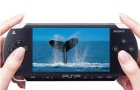
Preview PSP Overlay TitleFollowing my series of custom Movie Maker image overlays, here's an overlay where your video appears on the screen of a PSP. This looks best with widescreen video, but you can use standard 4:3 video too.

There are two installers depending on whether you are running on a 64-bit or 32-bit version of Windows. The installer will put the necessary files into, C:\Program Files\Movie Maker\Shared.
Blaine's PSP Overlay Title (64-bit)
Blaine's PSP Overlay Title (32-bit)
To use the new title
  • Go to 'Tools' > 'Titles and Credits' > 'Title on the selected clip'.

  • Click on 'change the title animation'.

  • Under your list of one line titles should be a new one called PSP Overlay

  • Pick it then click 'Done'.

  • Stretch the title so that it extends for the length of your clip.

  • Sunday, September 02, 2007

    Custom TV Overlay for Windows Movie Maker

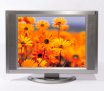
    Preview TV Overlay TitleOne of the neat things you can do with custom titles is to resize the video and overlay an image. Using this technique, you can easily overlay an image of a TV screen, for example. (Click here for a sample video with a TV overlay).

    Note: This title has been designed to work with either WMM 2.1 (XP) or WMM 6.0 version. It also works whether your project has a 4:3 or 16:9 aspect ratio.

    There are two installers depending on whether you are running on a 64-bit or 32-bit version of Windows. The installer will put the necessary files into, C:\Program Files\Movie Maker\Shared.
    Blaine's TV Overlay Title (64-bit)
    Blaine's TV Overlay Title (32-bit)
    To use the new title
  • Go to 'Tools' > 'Titles and Credits' > 'Title on the selected clip'.

  • Click on 'change the title animation'.

  • Under your list of one line titles should be a new one called TV Overlay

  • Pick it then click 'Done'.

  • Stretch the title so that it extends for the length of your clip.

  • Thursday, August 30, 2007

    Custom Contrast Effects For Windows Movie Maker 6.0

    Preview Blaine's Contrast EffectsWindows Movie Maker should have come with some standard effects to decrease/increase the contrast of your video. However, since it doesn't, I had to create some of my own.

    Note: These effects take advantage of the effects architecture of Windows Movie Maker 6.0 and therefore will not work in XP.

    There are two installers depending on whether you are running WMM 6.0 on a 64-bit or 32-bit version of Windows. The installer will put the necessary files into, C:\Program Files\Movie Maker\Shared.
    Windows Movie Maker 6.0:
    Blaine's Contrast Effects (64-bit)
    Blaine's Contrast Effects (32-bit)
    After installing, you'll have a couple new effects for decreasing contrast and a couple for increasing contrast. If you need a stronger effect, apply the effect several times. You can also customize the .xml if you want other contrast settings. Enjoy!

    Monday, June 04, 2007

    Custom Bubble Warp Effect for WMM 6.0

    Preview Blaine's Bubble Warp EffectI was playing around with Windows Movie Maker 6.0 and came up with this custom "Bubble Warp" effect. It's rather subtle and looks best when applied to pictures with short durations. If you apply it to video or to longer duration photos, you may not even notice the effect.

    Note: This effect takes advantage of the effects architecture of Windows Movie Maker 6.0 and therefore will not work in XP.

    There are two installers depending on whether you are running WMM 6.0 on a 64-bit or 32-bit version of Windows. The installer will put the necessary files into, C:\Program Files\Movie Maker\Shared.
    Windows Movie Maker 6.0:
    Blaine's Bubble Warp Effect (64-bit)
    Blaine's Bubble Warp Effect (32-bit)
    After installing, you'll have a new effect called "Blaine's Bubble Warp". Enjoy!