Sunday, February 18, 2007

Custom Speed Effects for Movie Maker (XP & Vista)

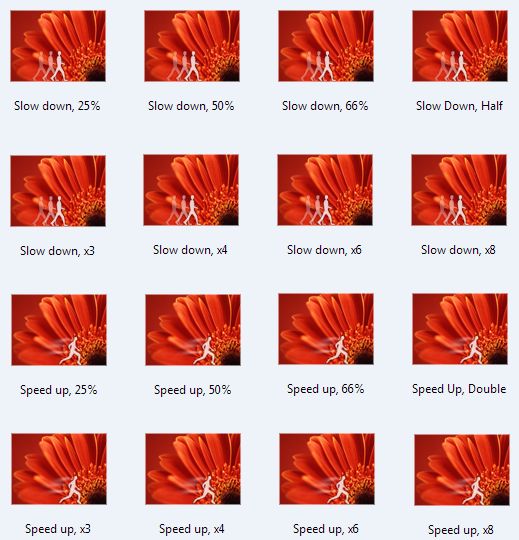
Movie Maker comes with a couple standard effects to speed up or slow down your video. If you find that you need more control over the speed, you can download these custom Speed Effects with different incremental speeds.

Note: These effects have been designed to work with either WMM 2.1 (XP) or WMM 6.0 (Vista) version of Movie Maker.

There are two installers depending on whether you are running on a 64-bit or 32-bit version of Windows. The installer will put the necessary files into, C:\Program Files\Movie Maker\Shared.
Blaine's Custom Speed Effects (64-bit)
Blaine's Custom Speed Effects (32-bit)

After installing, you'll have new custom speed effects for
  • Slow Down in increments of 25%, 50%, 66%, x3, x4, x6, x8

  • Speed Up in increments of 25%, 50%, 66%, x3, x4, x6, x8
  • Thursday, February 15, 2007

    Custom TV Ratings Titles updated for WMM 6.0

    Are you using Windows Movie Maker to edit your home videos? Have you ever wanted to add the TV Ratings to the top of your home videos? I created a set of custom titles that can be used in Windows Movie Maker to overlay the various TV Ratings (Y, Y7, G, PG, 14, MA) to the top left corner of your video.

    Note: These titles have been designed to work with either WMM 2.1 (XP) or WMM 6.0 version.

    There are two installers depending on whether you are running on a 64-bit or 32-bit version of Windows. The installer will put the necessary files into C:\Program Files\Movie Maker\Shared.
    Blaine's TV Ratings Titles (64-bit)
    Blaine's TV Ratings Titles (32-bit)
    To use the new titles, go to 'Tools' > 'Titles and Credits' > 'Title on the selected clip' > 'change the title animation'. Under your list of one line titles should be 6 new ones called:
  • TV Rating (Y)

  • TV Rating (Y7)

  • TV Rating (G)

  • TV Rating (PG)

  • TV Rating (14)

  • TV Rating (MA)


  • If you want an additional subtitle, type it into the text fields, otherwise just type a single space. Click 'Done'.

    Monday, June 05, 2006

    Windows Movie Maker 2.x - Effects Icons

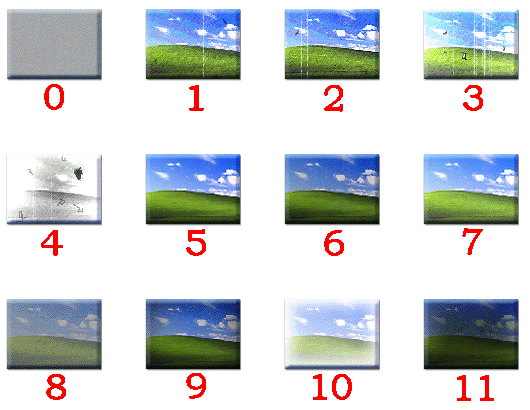
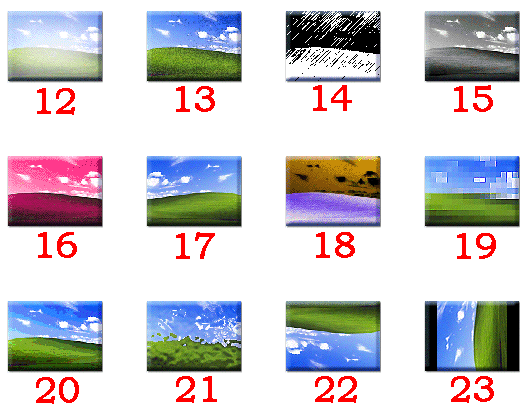
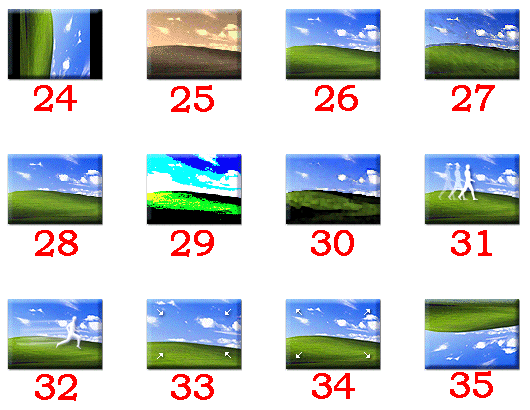
    If you are creating your own custom effects in Windows Movie Maker 2.x, you need to specify an icon number. Rather than guessing, you can use the following images to figure out which of the standard 36 icons (0 through 35) you want to use. Click on a thumbnail to see the full image.
    Effects Icons 00-11Effects Icons 0-11
    Effects Icons 12-23Effects Icons 12-23
    Effects Icons 24-35Effects Icons 24-35

    Tuesday, May 30, 2006

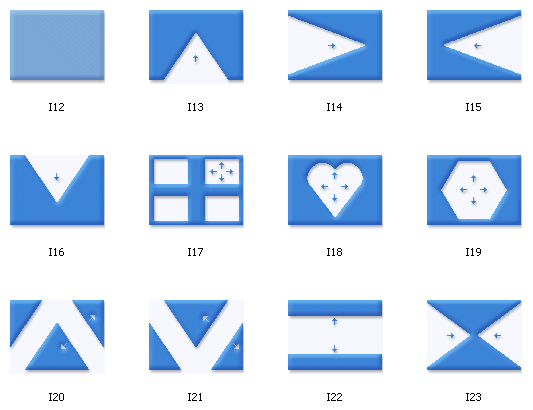
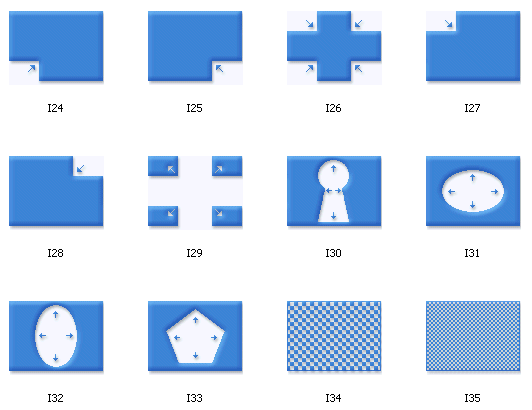
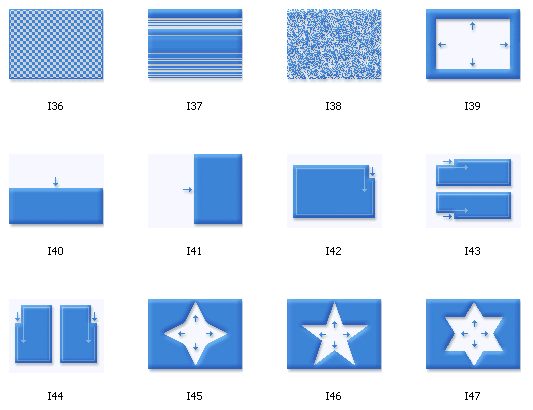
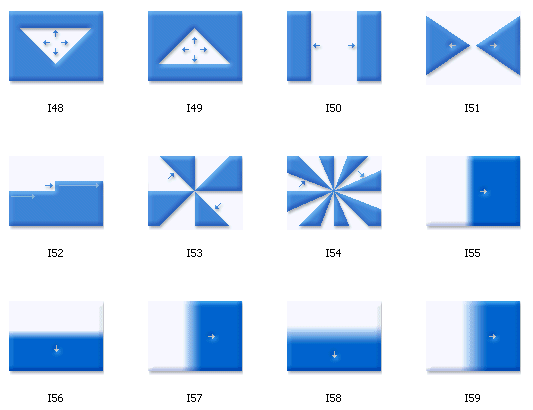
    Windows Movie Maker 2.x - Transition Icons

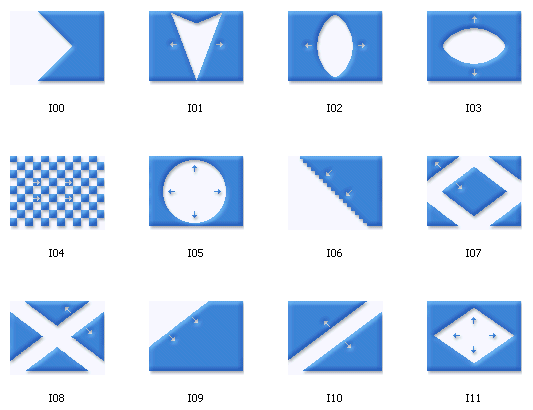
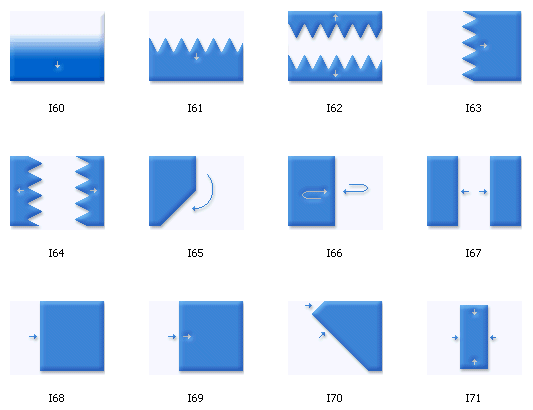
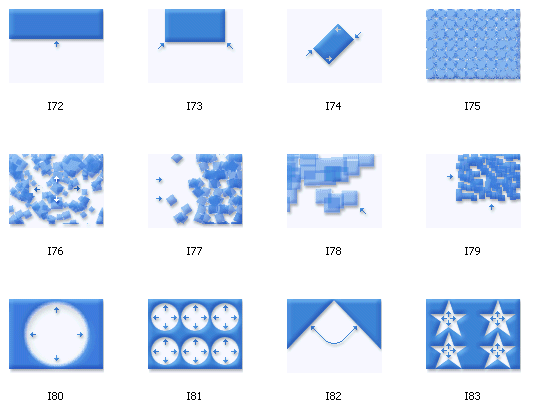
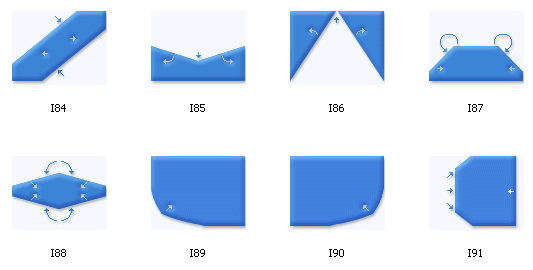
    If you are creating custom transitions in Windows Movie Maker 2.x, you need to specify an icon number. Rather than guessing, you can use the following images to figure out which of the standard 92 icons (0 through 91) you want to use. Click on a thumbnail to see the full image.
    Transition Icons 00-11Transition Icons 0-11
    Transition Icons 12-23Transition Icons 12-23
    Transition Icons 24-35Transition Icons 24-35
    Transition Icons 36-47Transition Icons 36-47
    Transition Icons 48-59Transition Icons 48-59
    Transition Icons 60-71Transition Icons 60-71
    Transition Icons 72-83Transition Icons 72-83
    Transition Icons 84-91Transition Icons 84-91