Monday, April 16, 2012

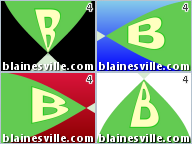
Blaine's Custom Transition Pack 4 (Twists)

Blaine's Transition Pack 4I've been meaning to release another transition pack for awhile now. If you watch the Transition Pack 4 - Sample Video you'll see they are a series of cool twist transitions.

These transitions require the use of Rehan's ShaderTFX add-on. If you've never installed this before, follow the directions and test the included transitions and effects work first. If you've already installed a copy of ShaderTFX (registered or unregistered), you can skip these steps.

There are two installers depending on whether you are running WMM 6.0 on a 64-bit or 32-bit version of Windows. The installer will put the necessary files into, C:\Program Files\Movie Maker\Shared.
Prerequisite: Rehan's ShaderTFX add-on.

Windows Movie Maker 6.0:
Blaine's Transition Pack 4 (64-bit) Installer
Blaine's Transition Pack 4 (32-bit) Installer

After restarting Windows Movie Maker, you should have 28 new Twist transitions with corresponding icons. There are 4 twist directions and 7 different background colors.

Note: These transitions require the architecture of WMM 6.0 and can't be made to work on the earlier WMM 2.6 or the later WLMM. For anyone that wants to customize the background color, check the .xml.

Wednesday, April 04, 2012

Blaine's Paint Splat Titles

Preview Paint Splat TitlesI had a request in the forums for titles on top of paint splats. Here's a sample video to help you visualize the titles.

Note: These titles will work in WMM 2.1 (XP) and WMM 6.0 (Vista/Win7). I've provided XML for both versions in the installers.

There are two installers depending on whether you are running on a 64-bit or 32-bit version of Windows. The installer will put the necessary files into, C:\Program Files\Movie Maker\Shared.
Blaine's Paint Splat Titles (64-bit)
Blaine's Paint Splat Titles (32-bit)
There are 4 different colored paint splats. To use one of the new titles:
Go to 'Tools' > 'Titles and Credits' > 'Title on the selected clip'.
Type your text in the first box.
Click on 'change the title animation'.
Under your list of one line titles, find the new animation in the desired color:

  • Paint Splat (Blue)
  • Paint Splat (Green)
  • Paint Splat (Purple)
  • Paint Splat (Red)

  • As with other titles, you can change the font and other styling attributes. Finally, click 'Done'.
    Adjust the title duration by shrinking/stretching the rectangle on the Title Overlay track.

    Saturday, January 21, 2012

    Blaine's Video with Scrolling Text


    In response to a query on the Windows Movie Makers forums, I created this custom title animation. It shrinks the current video and shows it on the left. You can then type a lot of text (credits, notes, disclaimers, copyrights, etc.) and have it scroll by on the right.

    For instructions on how to add this custom title and use it in Windows Movie Maker 6.0, please check the WMM forums.

    Thursday, December 29, 2011

    Blaine's TV Signal Effects

    Blaine's TV Signal Effects
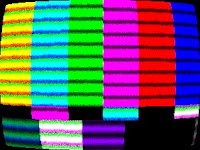
    Back in the "old" days, we all had analog TVs where the picture was drawn by an electron beam on a cathode ray tube (CRT). The resulting picture often had noise in the signal, visible scan lines and a slight curvature to the screen. Well, now you can relive those days by applying one of my TV Signal Effects. These effects work with Windows Movie Maker 6.0 (either under Vista or Windows 7).

    To install the TV Signal Effects into Windows Movie Maker, you have a choice of installers depending on whether you are running WMM 6.0 on a 64-bit or 32-bit version of Windows. Pick the correct installer and it will put the necessary files into C:\Program Files\Movie Maker\Shared.
    Windows Movie Maker 6.0:
    Blaine's TV Signal Effects (64-bit) Installer
    Blaine's TV Signal Effects (32-bit) Installer
    After restarting Windows Movie Maker, you should have 4 new TV Signal effects with corresponding icons:
  • TV Signal (All) - all 3 effects applied at once (curvature, noise and scanlines)
  • TV Signal (Curvature) - distorts the picture to give it a slight curvature.
  • TV Signal (Noise) - adds some random "dot crawl" to the clip.
  • TV Signal (Scanlines) - draws the screen in bands of light and dark, with some color fringing.


  • You can apply the individual effects, or just use the combined TV Signal (All) effect. You might also want to apply a Blur effect or Grayscale effect, especially if you are simulating a black and white TV, or maybe a surveillance monitor.

    Note: These transitions require the architecture of WMM 6.0 and can't be made to work on versions 2.6 or earlier.

    Monday, December 12, 2011

    Blaine's Custom Transition Pack 3 (Paper Fold)

    Blaine's Transition Pack 3Before the end of the year, I wanted to publish another set of transitions for Windows Movie Maker 6.0*. These are called "Paper Fold" transitions which will be obvious if you watch the Transition Pack 3 - Sample Video.

    These transitions require the use of Rehan's ShaderTFX add-on. If you've never installed this before, follow the directions and test they work first. If you've already installed a copy of ShaderTFX (registered or unregistered), you can skip these steps.

    There are two installers depending on whether you are running WMM 6.0 on a 64-bit or 32-bit version of Windows. The installer will put the necessary files into, C:\Program Files\Movie Maker\Shared.
    Prerequisite: Rehan's ShaderTFX add-on.

    Windows Movie Maker 6.0:
    Blaine's Transition Pack 3 (64-bit) Installer
    Blaine's Transition Pack 3 (32-bit) Installer

    After restarting Windows Movie Maker, you should have 7 new Paper Fold transitions with corresponding icons. They all look like the screen is being folded down the middle and then it opens up to the new clip. The only difference between the clips is the color background that appears.

    *Note: These transitions require the architecture of WMM 6.0 and can't be made to work on versions 2.6 or earlier. For anyone that wants to customize the background color, check the .xml.